Troubleshooting
5/8/26Less than 1 minute
Troubleshooting
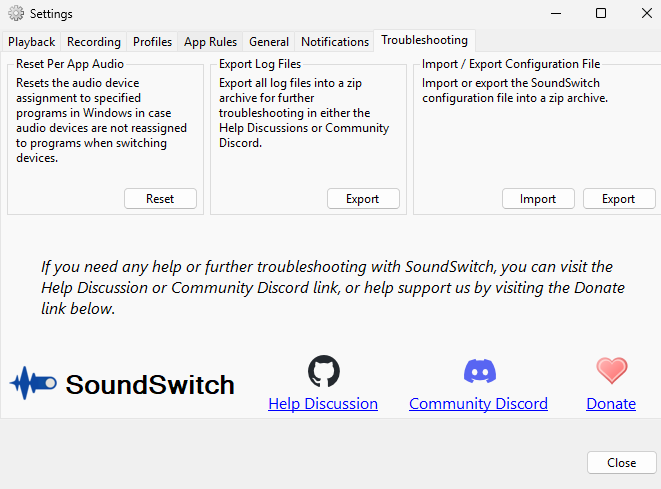
The Troubleshooting tab provides tools to help diagnose and resolve issues with SoundSwitch.
Reset Per-App Audio
Resets all audio device assignments that were made to specific programs. If audio devices are not being reassigned to programs when switching devices, click Reset to clear all per-app routing state. Windows will then reassign applications to their default devices, and App Sound Lock rules will reapply on the next process or window event.
Export Log Files
Exports all log files into a zip archive that you can share in the Help Discussions or Community Discord for further troubleshooting assistance. Click Export to generate the zip file and choose where to save it.
Import / Export Configuration File
- Import — Load a previously exported SoundSwitch configuration from a zip archive. This restores all your settings, profiles, and app rules.
- Export — Save your current SoundSwitch configuration to a zip archive. Useful for backing up your setup or migrating it to another machine.
Community Support
If you need help or further troubleshooting with SoundSwitch, you can reach out through:
- Help Discussion — GitHub discussions for help and support (opens GitHub in your browser).
- Community Discord — Join the SoundSwitch Discord server for real-time community support.
- Donate — Support the project through a donation.