An app stopped switching audio after a SoundSwitch update
5/8/26Less than 1 minute
My applications don't switch sound after an update
If after updating SoundSwitch one specific application (often a browser) keeps playing on the previous device while everything else switches correctly, it's because Windows has locked the default device for that application.
This was originally caused by a regression in v5.9.4, which incorrectly disabled the "Also switch foreground device" feature and left certain apps stuck on whichever device they were last using.
How to fix it
Reset the per-application sound preferences in Windows Sound Settings:
- Open Settings → System → Sound.
- Scroll down and open App volume and device preferences (Windows 10) or Volume mixer → Reset sound devices and volumes for all apps (Windows 11).
- Click Reset.
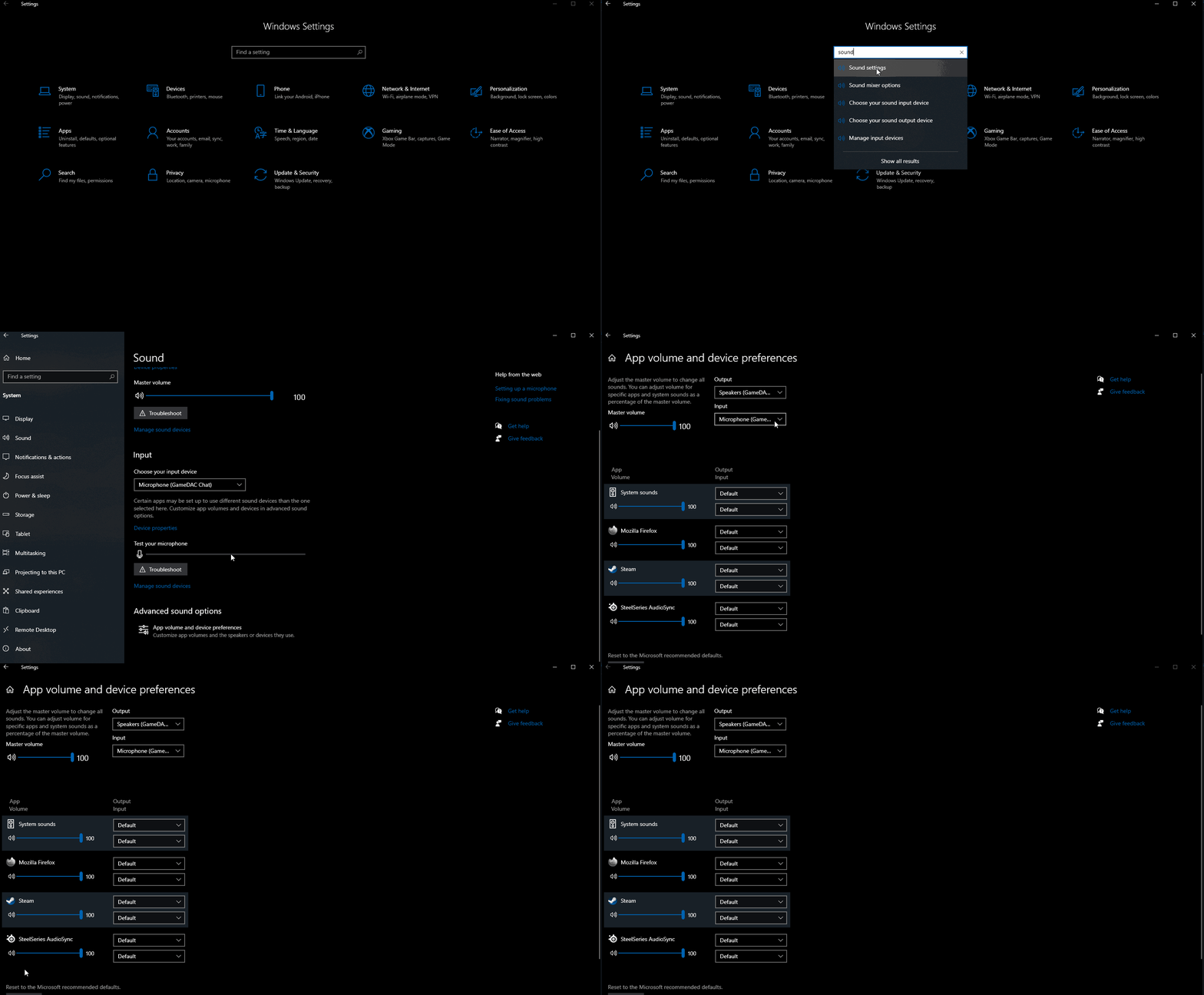
After the reset, applications fall back to the system default audio device — which SoundSwitch can then switch normally.
Source: #645