
What is the SoundSwitch Quick Menu?
5/8/26Less than 1 minute
What is the menu that appears when I use a hotkey?
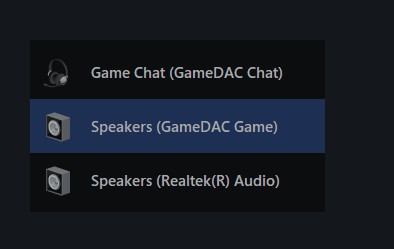
Since version 6.0.0, pressing a SoundSwitch hotkey shows a small overlay called the Quick Menu.
What it does
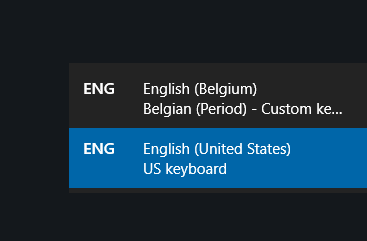
The Quick Menu is inspired by the Windows language switcher:
When you press a playback or recording hotkey, the menu appears showing the current default device. Pressing the hotkey again moves the selection to the next device. You can also click any entry in the menu to switch directly to that device.
How to disable it
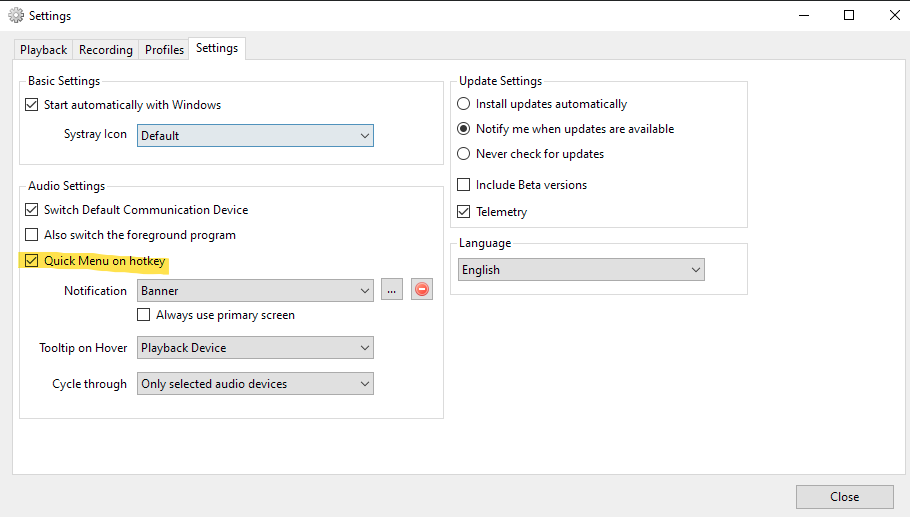
If you'd rather just have the device switch silently, open Settings → Quick Menu and uncheck the box.
Source: #731